


Focus on your idea
Start with the technical basics chosen to work together.
Dinvolt gives your AI a clear structure and tools that work together, helping you build an app that’s easier to improve as it grows—even without a technical background.
npx dinvolt@latest createCreate a new project with Dinvolt and get the generated starter running locally. 1. Inspect this conversation and the target directory first. Reuse requirements and preferences already provided. Ask only about unresolved product choices: the project name/location and whether it needs a public website only, a public website with an admin panel, or an admin panel only (standalone app with login at / and no marketing pages). Both admin options include authentication and a database. Infer clear answers and group necessary initial questions together. 2. Run `npx --yes dinvolt@latest create --help` and check the required Node.js version and package manager. Honor my chosen manager; otherwise use Dinvolt's detected/default manager when available, falling back to npm if Bun is unavailable. Pass that choice explicitly rather than installing a manager. 3. Use Dinvolt defaults for other unspecified technical options and keep recommended skills enabled. Do not walk me through the full wizard. 4. Create with non-interactive flags and `--json`, explicitly supplying `--name`, `--project-type`, an absolute `--cwd`, and `--location`. `--cwd` must exist; `current` uses that empty directory and `new` creates its named child. Preserve existing files. If the requested destination is occupied or already contains an app, resolve the conflict with me before creating or reconfiguring anything. 5. Leave database connections and administrator creation pending unless I explicitly requested them and supplied credentials for this project/environment. Keep secrets out of commands, logs, and version control; do not reuse another project's credentials. Missing credentials should not block generating or checking static pages. 6. Inspect the exit code and JSON status, including `project.path` and per-environment results. Deliberately deferred setup may report `needs-attention`. If a project already exists after a partial failure, inspect it and continue with the appropriate setup command instead of rerunning create blindly. 7. Read the generated AGENTS.md and documentation. Run its lint, TypeScript, and build checks, start its documented development command, and verify the public page and, if included, the anonymous admin login in a browser when available. Use the URL reported by the app. Do not claim authentication or database flows work unless actually tested. 8. Report the project path, configuration, local URL, verification results, and pending steps, including how to complete database/admin setup with `dinvolt setup` if needed. State any check you could not run.
Built for AI coding agents


 Terminal
➜ dinvolt create
┌  Dinvolt
│
◇  What is your project name?
│  my-app
│
◇  Where would you like to create the project?
│  Create a new folder
│
◇  What type of project do you want to create?
│  Public website + admin panel
│
◇  How would you like to configure the project?
│  Use Dinvolt defaults
│
◇  Connect and initialize Turso Database databases now? (development)
│  Complete credentials later
Start with the technical basics chosen to work together.
Shared guidance helps new features follow the same structure.
Build on a clear structure, with code you own and can adapt.
You don't have to choose every tool yourself. Dinvolt brings them together with a clear structure your AI can follow. Admin projects also include database, sign-in, and email tools.
Create a website or an app with an admin panel.
Start with code and project guidance already in place.
Run it locally and shape the features your users need.
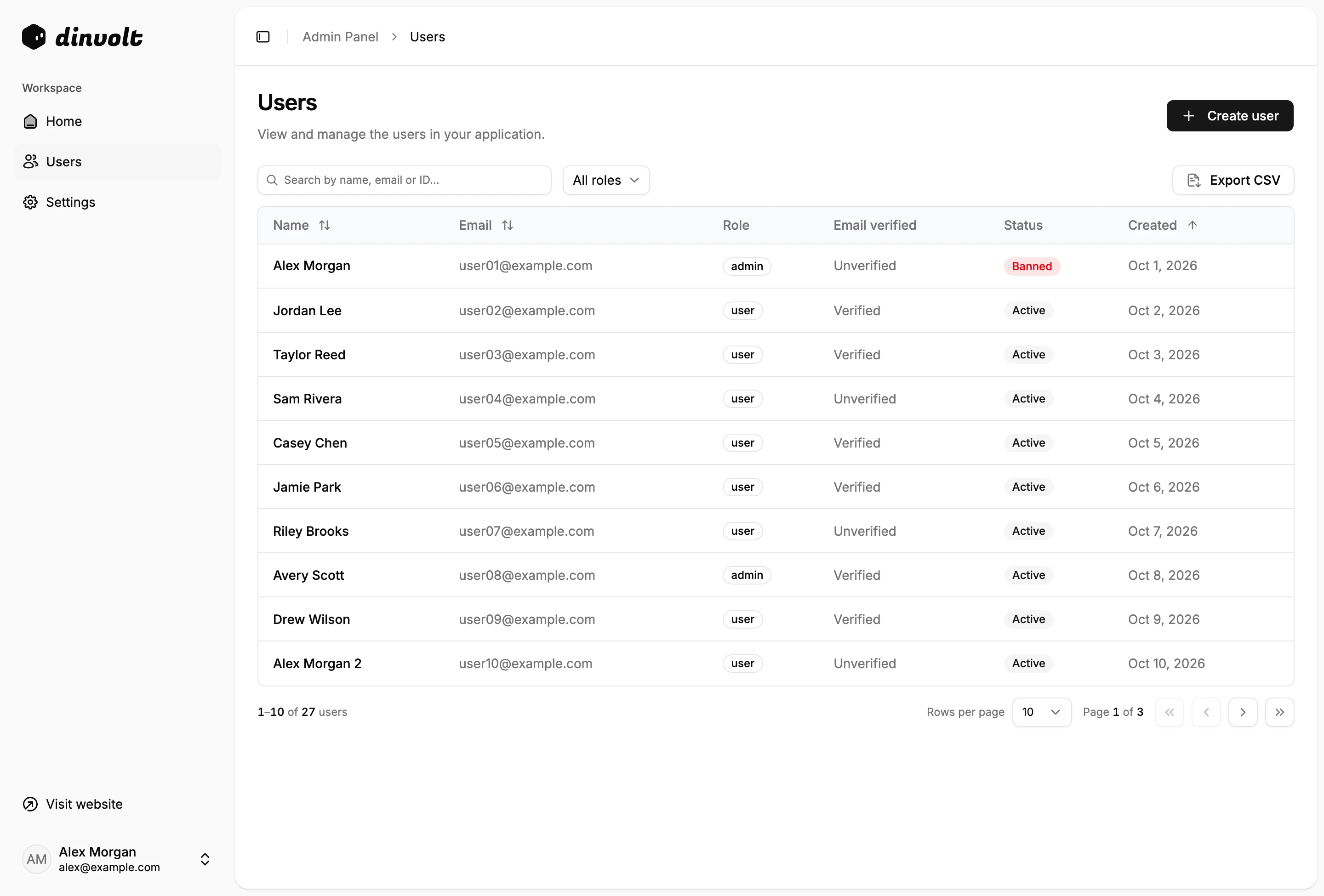
Optional admin panel
Start with sign-in and user management, then adapt the panel to your app.



Give your AI a clear foundation from day one. Build toward the next version with consistent structure, shared guidance, and code you can adapt.
npx dinvolt@latest createCreate a new project with Dinvolt and get the generated starter running locally. 1. Inspect this conversation and the target directory first. Reuse requirements and preferences already provided. Ask only about unresolved product choices: the project name/location and whether it needs a public website only, a public website with an admin panel, or an admin panel only (standalone app with login at / and no marketing pages). Both admin options include authentication and a database. Infer clear answers and group necessary initial questions together. 2. Run `npx --yes dinvolt@latest create --help` and check the required Node.js version and package manager. Honor my chosen manager; otherwise use Dinvolt's detected/default manager when available, falling back to npm if Bun is unavailable. Pass that choice explicitly rather than installing a manager. 3. Use Dinvolt defaults for other unspecified technical options and keep recommended skills enabled. Do not walk me through the full wizard. 4. Create with non-interactive flags and `--json`, explicitly supplying `--name`, `--project-type`, an absolute `--cwd`, and `--location`. `--cwd` must exist; `current` uses that empty directory and `new` creates its named child. Preserve existing files. If the requested destination is occupied or already contains an app, resolve the conflict with me before creating or reconfiguring anything. 5. Leave database connections and administrator creation pending unless I explicitly requested them and supplied credentials for this project/environment. Keep secrets out of commands, logs, and version control; do not reuse another project's credentials. Missing credentials should not block generating or checking static pages. 6. Inspect the exit code and JSON status, including `project.path` and per-environment results. Deliberately deferred setup may report `needs-attention`. If a project already exists after a partial failure, inspect it and continue with the appropriate setup command instead of rerunning create blindly. 7. Read the generated AGENTS.md and documentation. Run its lint, TypeScript, and build checks, start its documented development command, and verify the public page and, if included, the anonymous admin login in a browser when available. Use the URL reported by the app. Do not claim authentication or database flows work unless actually tested. 8. Report the project path, configuration, local URL, verification results, and pending steps, including how to complete database/admin setup with `dinvolt setup` if needed. State any check you could not run.